
“Private” is not a single switch in ChatGPT. A conversation can be absent from your sidebar yet retained temporarily; saved in history but excluded from model training; or deleted while a separate saved memory still exists. Connected apps and custom GPT actions add another boundary because data may leave OpenAI and become subject to someone else’s policy.
This guide separates five concepts—chat history, memory, training, retention, and third-party sharing—then shows which controls affect each one. Policy details were checked against official OpenAI documentation on July 26, 2026. Settings and retention rules can change, so use the linked sources when making a high-stakes decision.
The five parts of ChatGPT privacy
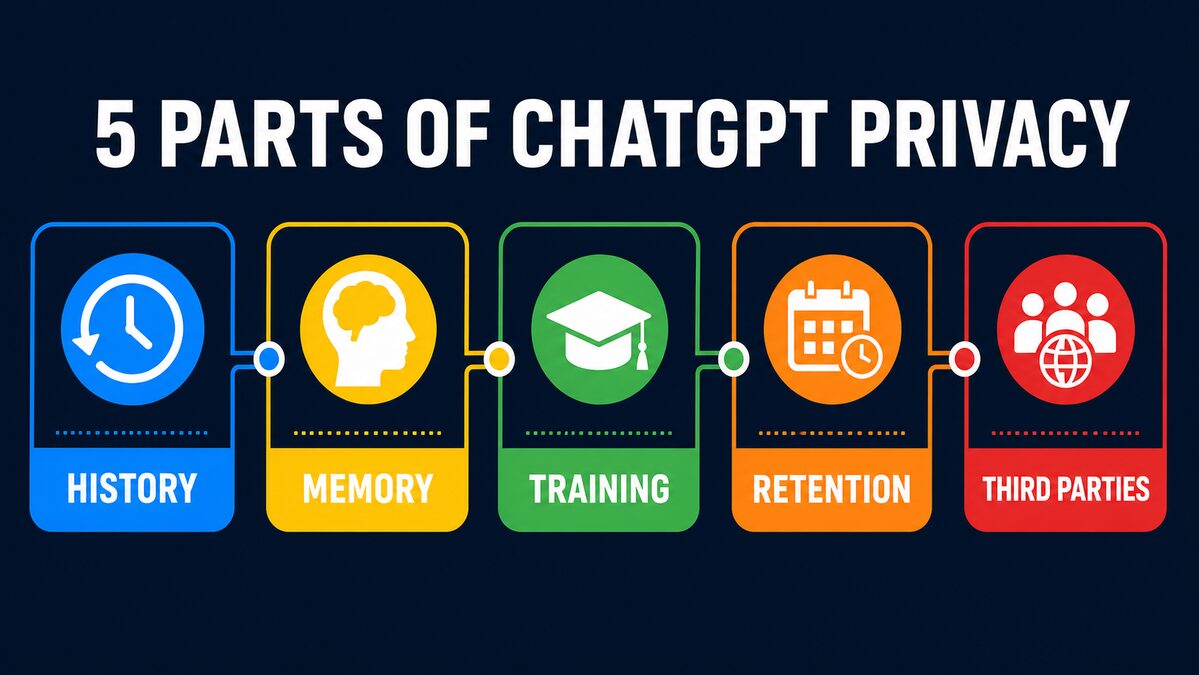
- History controls whether a conversation appears in your account and can be reopened.
- Memory lets ChatGPT retain or reference useful details across conversations for personalization.
- Training concerns whether eligible content may help improve OpenAI’s models.
- Retention is how long data remains on systems, including after you request deletion.
- Third-party sharing occurs when an app, action, website, or other external service receives data.
Changing one does not necessarily change the others. For example, OpenAI says turning off “Improve the model for everyone” keeps future chats out of model training, but those chats can still remain visible in history.
What happens in a normal ChatGPT conversation?
For a signed-in consumer account, normal chats are saved to the account until you delete them. Depending on your settings, prompts, responses, uploaded files, and images may be used to improve model performance. A limited number of authorized OpenAI personnel and trusted service providers may access content when needed for abuse or security investigations, support, legal matters, or model improvement when you have not opted out.
That does not mean employees routinely browse chats, but it does mean you should not treat a normal chat like an end-to-end encrypted private notebook. OpenAI advises users not to enter sensitive information they would not want reviewed or used.
Deleting a chat removes it from your account immediately and schedules it for permanent deletion from OpenAI systems within 30 days, unless it has already been de-identified and disassociated from the account or must be retained for security or legal obligations. Archiving is different: it only hides a chat from the sidebar and does not start deletion.
Temporary Chat: useful, but not anonymous
Temporary Chat is the simplest built-in option when you do not want a conversation in history or memory. OpenAI says Temporary Chats do not appear in history, do not create or use memories for personalization, and are not used to improve models. A copy may still be retained for up to 30 days for safety purposes.
Temporary does not mean anonymous. If you are signed in, the service still operates the chat within your account context, applies its terms and safety systems, and may retain a safety copy. Custom instructions can still apply. OpenAI also notes that limited safety-relevant context may be used in rare, high-risk situations.
To start one on the web, open a new conversation and select the Temporary control near the top-right. Check the interface before relying on these directions because labels and placement can change.
Saved memory is not the same as chat history
History stores conversations. Memory stores or references details that can personalize later responses. You can delete a conversation without necessarily deleting a saved memory that came from it. Conversely, deleting a saved memory does not erase the original chat where the information appeared.
For a thorough cleanup, remove the saved memory in Settings → Personalization → Manage memories and delete every chat where you shared the information. You can also turn memory off. OpenAI’s consumer privacy page says users can review, edit, delete, or disable saved memories. Availability and exact options can vary by account, workspace, and rollout.
How to stop future chats from being used for training
- Open ChatGPT and select your profile icon.
- Choose Settings.
- Open Data Controls.
- Turn off Improve the model for everyone.
- Return to Data Controls and confirm the switch remains off. OpenAI says the choice syncs across web and mobile for the account.
Editor note: capture current desktop and mobile screenshots immediately before publication, blur account information, and verify that the labels still match.
This setting affects future training use; it does not delete earlier chats or remove them from history. Use the separate delete controls for individual chats, all chats, or the account. You can also submit privacy requests through OpenAI’s privacy portal.
Connected apps, browsing, actions, and custom GPTs
A privacy setting inside ChatGPT cannot control data after you deliberately send it to another service. Connected apps may retrieve information from services you authorize. Browsing can send a query or request to websites. A custom GPT can use an external action that transmits part of your input to its operator or another API.
OpenAI says an app should disclose the types of data it may collect when you connect it, and you can disconnect the app later. Disconnection stops future access; it may not erase information the third party already received. With GPT actions, the recipient may retain data longer than ChatGPT’s 30-day Temporary Chat window and use it for other purposes under its own privacy policy.
- Read the app or action’s privacy policy before sending personal or confidential data.
- Grant only permissions necessary for the task.
- Disconnect integrations you no longer use.
- Assume pasted secrets can be exposed to every service in the workflow.
Consumer ChatGPT versus Business, Enterprise, Edu, and API
OpenAI says content from individual consumer services may be used to improve models depending on settings. By default, it does not train on inputs or outputs from business offerings, including ChatGPT Business, ChatGPT Enterprise, ChatGPT Edu, and the API Platform. An organization can explicitly opt in to share certain API or Playground data, so “not used by default” is more precise than “never used.”
Business plans can also provide administrative, security, and retention controls, but the exact configuration belongs to the workspace administrator. A company account is not automatically permission to upload every company document: follow the employer’s data classification, legal, and acceptable-use policies. API retention can vary by endpoint and approved data-control arrangement; developers should check the current API data-usage documentation for the endpoint they use.
What you should never paste into an AI chat
- Passwords, recovery codes, API keys, private keys, session cookies, or authentication tokens.
- Full payment-card numbers, bank credentials, or identity-document images.
- Medical, legal, tax, or employment records unless an authorized, compliant workflow specifically permits them.
- Confidential client data, unreleased source code, trade secrets, acquisition plans, or security incident details.
- Personal data about someone else when you lack a valid reason and permission to process it.
Redact names, account numbers, addresses, unique identifiers, and proprietary details. Replace them with realistic placeholders. If the task cannot be completed without the raw information, use an organization-approved system and confirm its contractual and technical protections first.
Choose controls based on the task
For a low-risk question—such as rewriting a public product description—a normal chat with training disabled may be sufficient. For a personal question that you do not want listed in history or recalled later, Temporary Chat provides stronger separation, although it is still not an anonymous or zero-retention channel. For workplace material, use only the workspace and process approved by your organization.
The safest approach is data minimization: give the model only what it needs. A résumé review rarely needs a home address or phone number. Debugging code rarely needs production credentials or real customer records. A contract summary may work with names, prices, signatures, and account identifiers replaced. Redaction reduces harm if content is accessed, retained, or forwarded to a connected service.
Also consider the response, not only the prompt. ChatGPT may repeat sensitive details in its output, and copying that output into email, project tools, or documents creates additional copies governed by other systems. Privacy is therefore a workflow property: account settings help, but careful input, restricted integrations, appropriate access controls, and deliberate deletion all matter.
A practical ChatGPT privacy checklist
- Turn off Improve the model for everyone if you do not want future consumer chats used for training.
- Use Temporary Chat when you do not want history or personalization memory.
- Review saved memories separately from chat history.
- Delete sensitive chats instead of merely archiving them.
- Audit connected apps and custom GPT actions.
- Redact secrets and personal data before prompting.
- Use an approved business workspace for organizational data.
- Export your data or use the privacy portal when you need a formal record or request.
Frequently asked questions
Can OpenAI employees read my chats?
A limited number of authorized personnel and trusted service providers may access content when necessary for abuse and security investigations, support, legal matters, or model improvement when applicable. OpenAI says access is need-to-know, controlled, monitored, and logged.
Does deleting a chat delete its saved memory?
Not necessarily. Delete the saved memory and the original chat separately when you want both removed.
Is Temporary Chat anonymous?
No. It avoids history, personalization memory, and training, but OpenAI may keep a safety copy for up to 30 days and still applies account, security, and legal controls.
Does browser incognito mode make ChatGPT private?
No. Incognito mode mainly limits what the browser stores locally. It does not replace ChatGPT’s Data Controls, Temporary Chat, or deletion settings.
Is API data used for training?
OpenAI says API inputs and outputs are not used for training by default. Organizations can explicitly opt in to share data. Retention and abuse-monitoring rules are separate and can depend on the endpoint and account controls.
Can a custom GPT send my data elsewhere?
Yes, if it uses external actions or connected services. Data sent to those recipients follows their privacy policies and may be retained longer.
Is turning off training the same as turning off history?
No. OpenAI says chats can remain in history when “Improve the model for everyone” is off. Temporary Chat is the option designed to keep a conversation out of history.
Official sources
- OpenAI consumer privacy
- Data Controls FAQ
- Temporary Chat FAQ
- How data is used to improve model performance
- OpenAI Privacy Policy
- OpenAI Privacy Portal
This article provides general privacy and security information, not legal advice. Requirements vary by jurisdiction, organization, contract, and data type. Confirm current policies and consult a qualified professional for regulated or high-risk data.
Comments