
AI-generated voices, images, and videos can make an ordinary scam look convincing. A caller may sound like a relative, a fake video may appear to show a public figure, or an advert may use a familiar face to promote an investment that does not exist.
The safest response is not to guess whether the media was made by AI. Pause the conversation and verify the person, account, and claim through a separate trusted source. This guide provides a repeatable process you can use before sending money, sharing a password, or opening a link.
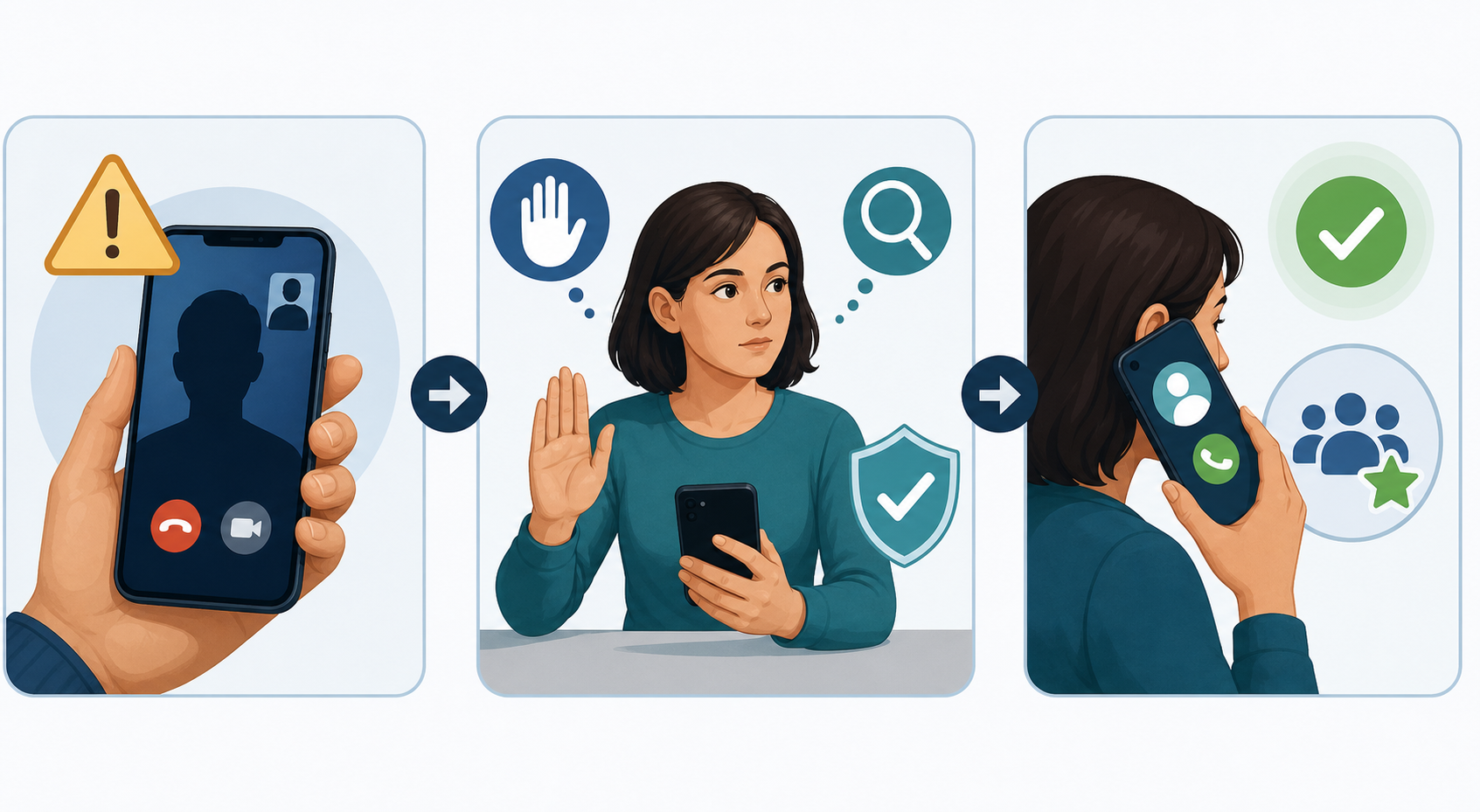
The quick AI scam check
- Stop. Do not pay, follow a link, install software, or share a verification code.
- End the conversation. A genuine person or organization will allow you time to check.
- Use a trusted contact method. Call the person on a number already saved in your contacts, or open the company's official website yourself.
- Check the claim. Search for the announcement, emergency, product, or investment using independent sources.
- Keep the evidence. Save the message, sender details, website address, payment request, and screenshots.
Important: A familiar face or voice is not proof of identity. The US Federal Trade Commission warns that scammers can clone a relative's voice from a short audio clip. Call the person back using a number you already know.
Warning signs that matter more than visual glitches
Older advice often concentrates on strange hands, unnatural blinking, robotic speech, or poor lip synchronization. These details may still justify a closer look, but modern generated media can avoid them. Genuine media can also contain compression artifacts, filters, poor lighting, and connection delays.
Look for the scammer's behavior instead:
- The request is urgent and you are discouraged from checking it.
- You are told to keep the situation secret.
- The caller asks for gift cards, cryptocurrency, a wire transfer, or cash.
- Someone requests a password, one-time code, recovery phrase, or remote access to your computer.
- An unexpected investment promises guaranteed or unusually high returns.
- A message comes from a new number or a slightly misspelled account.
- The displayed name looks correct, but the email address, username, or website domain does not.
Urgency plus an unusual payment or secrecy request is enough reason to stop, even when the voice and video appear perfect.
How to verify a suspicious voice call
- Hang up. Do not use a number supplied by the caller.
- Call the person using an existing contact, or ask another relative to contact them.
- If the caller claims to represent a bank or company, use the number printed on your card, statement, or the organization's official website.
- Ask a question that a stranger could not answer from social media. Avoid simple facts such as a birthday, school, pet name, or address.
- For family emergencies, agree on a private safe word in advance. Do not post it or send it through an account that others can access.
Caller ID can be spoofed, so a familiar name or number on the screen is not sufficient verification. The important step is making a new call through a contact method under your control.
How to check a suspicious image
1. Find the original context
Do not rely on the caption attached to the image. Search for the claimed event, quotation, person, and location on reputable news or official websites. An authentic photograph can still be used with a false date or description.
2. Run a reverse-image search
- Save the image or copy its direct address.
- Open Google Images and select Search by image, or right-click an image in Chrome and choose Search with Google Lens.
- Look for an earlier upload, the original publisher, and versions with a different caption.
Google's About this image panel may show when a similar image was first found and where else it appeared. Availability varies by region.
3. Inspect details, but do not treat them as proof
- Read small signs, labels, and background text.
- Compare reflections, shadows, and light direction.
- Check whether jewellery, glasses, hair, or clothing changes shape unexpectedly.
- Look for repeated objects or inconsistent edges.
These are prompts for further verification, not a reliable pass-or-fail test.
How to check a suspicious video
- Find the earliest version you can, rather than a cropped repost.
- Take clear screenshots from several moments and run reverse-image searches on them.
- Search a distinctive sentence from the video in quotation marks.
- Check the speaker's official website and verified accounts for the complete recording.
- Compare the audio with the mouth movement, room acoustics, and cuts, while remembering that an ordinary connection problem can also cause a delay.
- Look for independent reporting that confirms the event occurred.
A short clip removes context and is easier to manipulate. Whenever possible, locate the complete speech, interview, or livestream from its original publisher.
Check the account and website
- Expand the sender details and inspect the complete email address.
- Read the website domain from right to left and check for added words or spelling substitutions.
- Do not assume a blue verification badge makes an advert or account trustworthy.
- Check the account's creation date, previous posts, sudden name changes, and unrelated content.
- Navigate to the official site manually instead of using the message's link.
- Never install remote-support software because an unexpected caller asks you to.
Do not sign in to an account through a link you are investigating. If you need to check a bank, delivery, tax, or shopping account, open the official app or enter the known address yourself.
Can an AI detector tell you the answer?
AI-detection services can provide an additional clue, but they should not make the final decision. Media can be resized, recompressed, cropped, filtered, or edited after creation. Detectors can produce both false positives and false negatives, and uploading private material creates an additional privacy risk.
Some platforms show provenance or editing information, sometimes called Content Credentials. This information can be useful when present, but missing credentials do not prove that an image is fake. Metadata can also be removed or changed. Verify the source and claim even when a tool reports a confident result.
What to do if you already responded
- Contact your bank, card provider, payment service, or cryptocurrency exchange immediately.
- Tell them the transaction was caused by fraud and ask whether it can be stopped or recalled.
- Change any exposed password from a clean device. Use a unique password and enable multi-factor authentication.
- If you shared a one-time code or approved a login, review active sessions and sign out unknown devices.
- If you installed remote-access software, disconnect the computer from the network and obtain trusted technical assistance before using it for banking or email.
- Save screenshots, email headers, usernames, phone numbers, receipts, transaction identifiers, and website addresses.
- Report the account to the platform and the fraud to the appropriate consumer-protection or law-enforcement service in your country.
In the United States, reports can be submitted at ReportFraud.ftc.gov. If money or personal safety is at immediate risk, contact your bank or local emergency service first.
A simple rule to remember
Do not try to outguess the AI. Verify the request outside the conversation.
A convincing face, voice, account name, or video is only part of a story presented by the sender. A separate call, an official website, an earlier image source, or independent reporting provides stronger evidence. Taking two minutes to check is safer than acting on urgency.
Comments